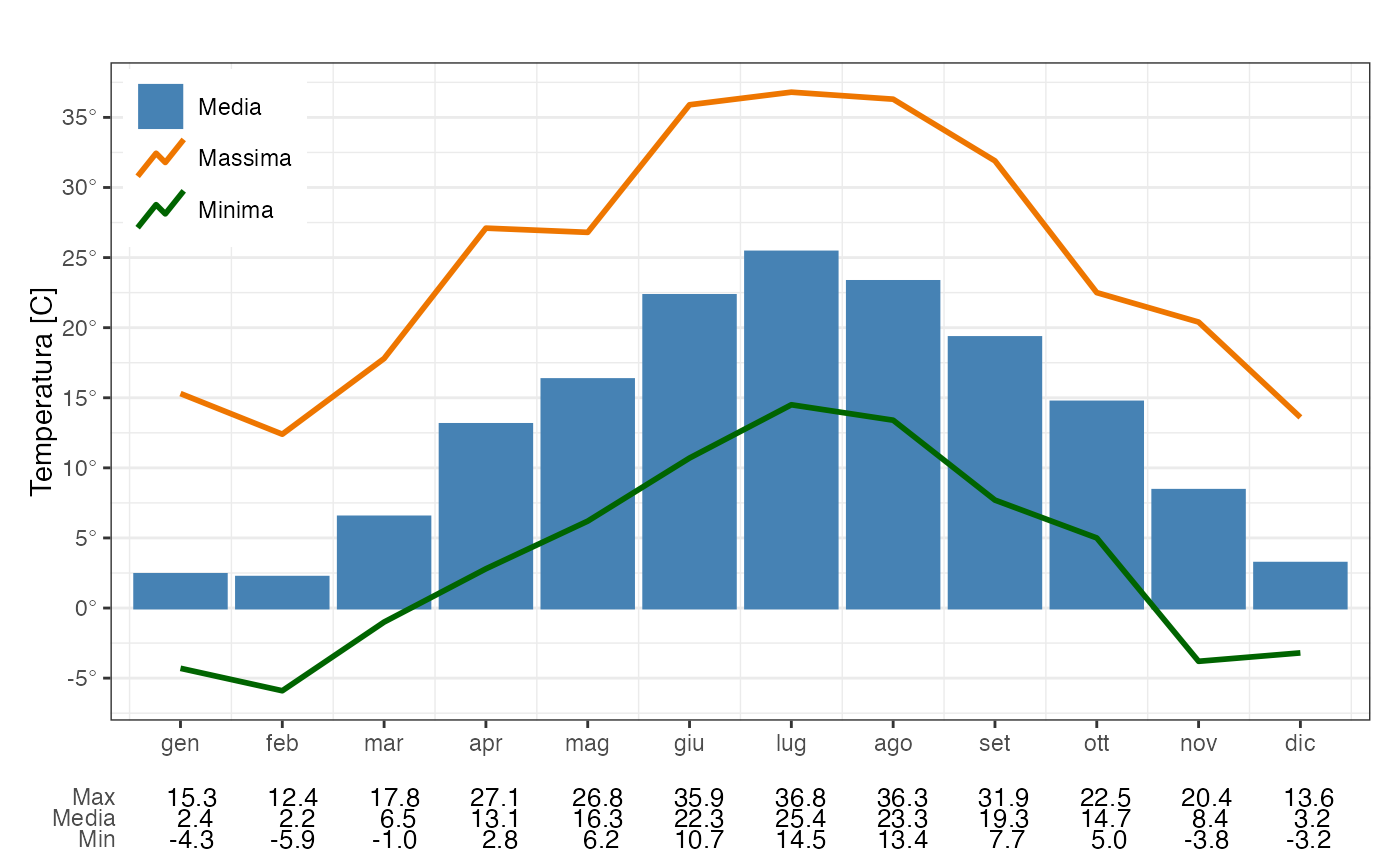
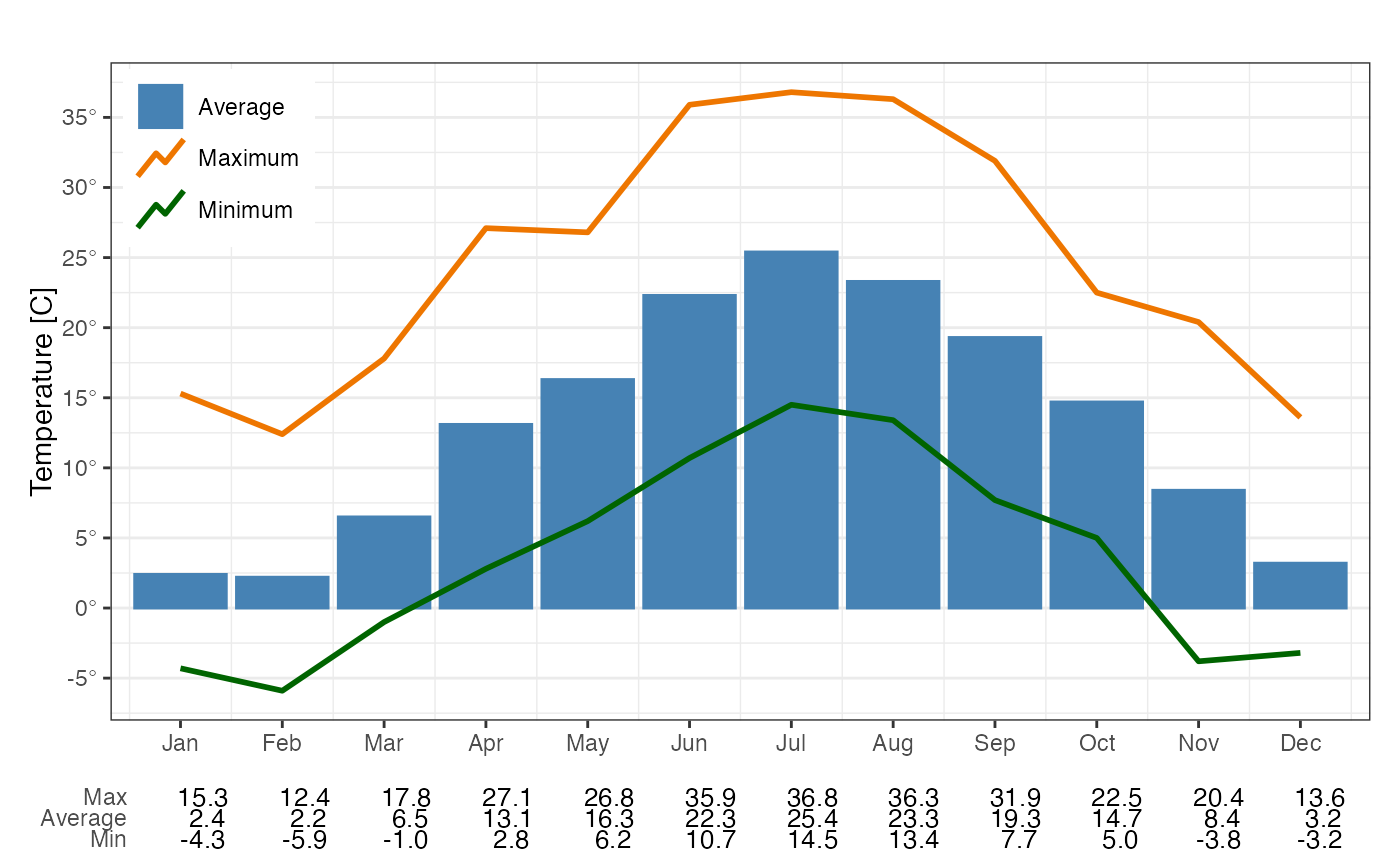
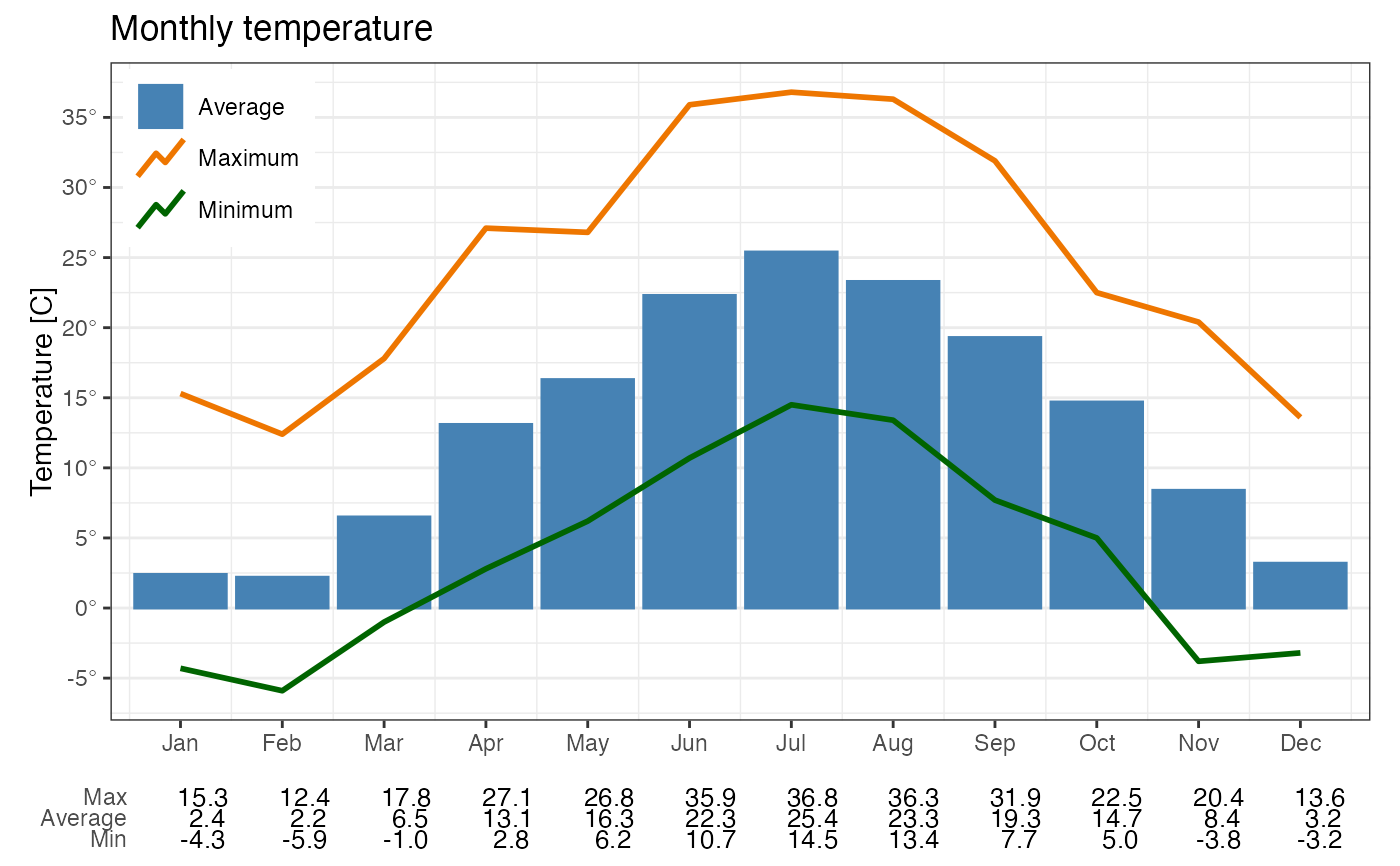
plotAvgTemp builds a bar plot of time average temperature and two
line plots with maximum and minimum temperature.
Usage
plotAvgTemp(
  mydata,
  date = "date",
  temp = "temp",
  avg.time = "1 month",
  ylabel = NULL,
  title = "",
  locale = NULL
)
Arguments
- mydata
A dataframe containing data to plot.
- date
The name of the column representing date and time. Data must be of class
POSIXltorPOSIXct(default = "date"). If the timezone is unspecified, it is set to GMT.- temp
Name of the column representing temperature (default = "temp")
- avg.time
Defines the time period to average to. Currently the only supported period is "1 month" (default).
- ylabel
The label along the y axis. If missing a default label is plotted.
- title
Optional plot title
- locale
Locale to use for day and month names. Default is current locale. Supported locales are listed in stringi::stri_locale_list(). All other labels are in English by default or in Italian if its locale is specified.
Examples
# Plot average monthly temperature and curves with monthly maximum and minimum
data(stMeteo)
str(stMeteo)
#> 'data.frame': 8760 obs. of 7 variables:
#> $ date: POSIXct, format: "2013-01-01 00:00:00" "2013-01-01 01:00:00" ...
#> $ ws : num 0.7 0.7 0.7 0.9 1.1 1 1 1 0.8 1 ...
#> $ wd : num 276 286 286 286 284 ...
#> $ temp: num -0.9 -1.1 -1.3 -1.9 -2.1 -2.4 -3.1 -3 -3 -3 ...
#> $ radg: num 0 0 0 0 0 0 0 0 0 20.3 ...
#> $ tcc : num 0 6 6 6 6 6 6 6 6 6 ...
#> $ pgt : num 6 6 6 6 5 5 5 5 6 4 ...
plotAvgTemp(stMeteo)
 # Add a custom title
plotAvgTemp(stMeteo, title = "Monthly temperature")
# Add a custom title
plotAvgTemp(stMeteo, title = "Monthly temperature")
 # Override default locale
plotAvgTemp(stMeteo, avg.time = "1 month", locale = "it_IT")
# Override default locale
plotAvgTemp(stMeteo, avg.time = "1 month", locale = "it_IT")